

IPTV Extreme is a versatile streaming app developed by Paolo Turatti, functioning as a multimedia player that enables users to access their favourite channels directly on their mobile devices.
Unlike traditional television viewing, IPTV Extreme offers a personalised experience by allowing users to utilise their own playlists or subscriptions, making it a flexible option for those with existing content sources.
This comprehensive guide will explore the features, pricing, and user reviews of IPTV Extreme, helping you determine if it’s the right choice for your entertainment needs.
Key Takeaways
- IPTV Extreme is a multimedia application that functions as an IPTV player.
- It requires users to have their own subscriptions or playlists.
- The app offers a personalised viewing experience across multiple devices.
- IPTV Extreme is a flexible option for users with existing content sources.
- Our guide will help you maximise your streaming experience.
- We’ll examine the unique features and pricing structure of IPTV Extreme.
What Is IPTV Extreme?

As a versatile IPTV player, IPTV Extreme allows users to access a wide range of television channels through their mobile devices or smart TVs. IPTV Extreme is a comprehensive multimedia application developed by Paolo Turatti, serving as a gateway for accessing television content via internet protocol technology.
Unlike traditional content providers, IPTV Extreme doesn’t supply its own channels or content; instead, it allows users to load and manage their own playlists from various sources. The application supports multiple playlist formats, most notably M3U, enabling users to organise and access thousands of channels worldwide, provided they have the appropriate subscription or playlist sources.
- IPTV Extreme functions as an IPTV player, transforming mobile devices and smart TVs into versatile streaming platforms.
- It supports multiple playlist formats, including M3U, for accessing thousands of channels globally.
- IPTV Extreme bridges the gap between conventional television viewing and modern streaming preferences.
- It offers a flexible solution for cord-cutters who want to maintain access to live TV programming without traditional cable subscriptions.
- The application is developed by Paolo Turatti and serves as a gateway to television content through internet protocol technology.
Key Features of IPTV Extreme
Exploring IPTV Extreme reveals a wealth of features that cater to diverse user needs. This streaming service is designed to provide a comprehensive viewing experience, incorporating various tools to manage and enhance content consumption.
Playlist Management and Format Support
IPTV Extreme offers robust playlist management capabilities, supporting multiple formats to ensure compatibility with various devices and user preferences. This flexibility allows users to easily manage their channel lists and access their favourite content.
Electronic Program Guide (EPG) Functionality
The Electronic Program Guide (EPG) functionality in IPTV Extreme provides users with a seamless viewing experience, offering real-time TV listings and programme information. This feature enables users to plan their viewing schedule effectively.
Parental Controls and Security Features
IPTV Extreme incorporates comprehensive parental control features, allowing households to restrict access to adult-oriented or inappropriate content and creating a safer viewing environment for children. The service includes a PIN protection system to lock specific channels or playlists, requiring authentication before viewing restricted content. These security features extend to playlist protection, preventing unauthorised users from accessing private or premium channel collections.
| Feature | Description | Benefit |
|---|---|---|
| Parental Control | Restrict access to adult content | Safer viewing for children |
| PIN Protection | Lock specific channels or playlists | Enhanced security for user content |
| Playlist Protection | Prevent unauthorised access | Private content remains secure |
IPTV Extreme Free vs Pro Version
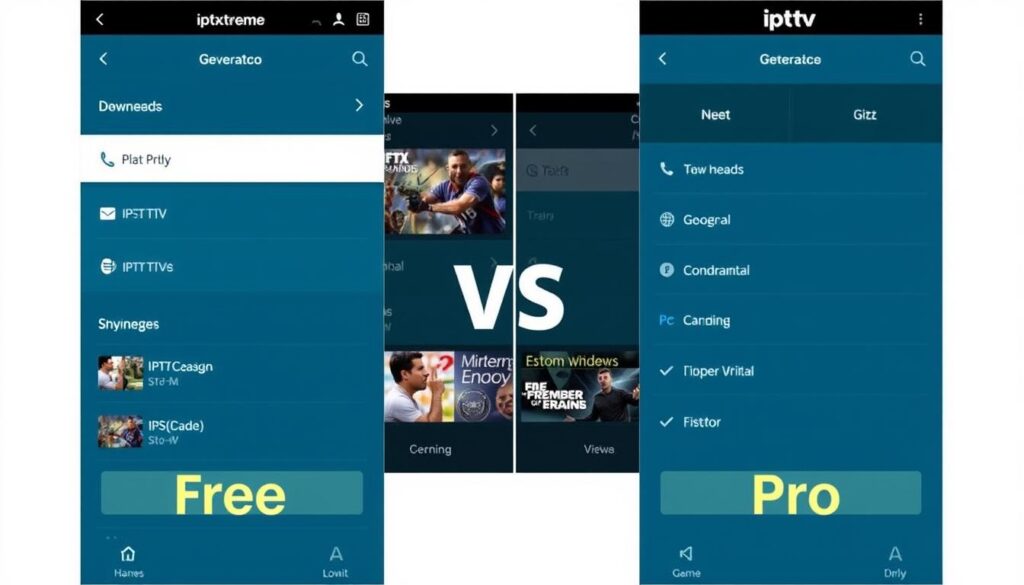
IPTV Extreme offers two distinct versions: a free version and a Pro version, each catering to different user needs. The free version provides core functionality, including unlimited playlists, basic playback controls, and EPG support, making it suitable for casual users.
The Pro version, available for a modest annual subscription of approximately £3.99, enhances the user experience by removing advertisements, offering unlimited recording capabilities, and providing multi-screen support.
Key differences between the versions include:
- IPTV Extreme offers both free and premium versions, with the free version providing essential features while the Pro version unlocks additional features and removes limitations.
- Upgrading to IPTV Extreme Pro removes advertisements, creating an uninterrupted viewing experience.
- Pro users gain access to advanced features, including unlimited recording capabilities and multi-screen support.
By understanding the differences between the free and Pro versions, you can make an informed decision about which version best suits your streaming needs.
How to Set Up IPTV Extreme
Configuring IPTV Extreme for the first time is a simple and intuitive process. To get started, you’ll need to ensure your device meets the necessary system requirements.
System Requirements and Compatibility
IPTV Extreme is compatible with various devices, including those running Android and iOS. Ensure your device meets the minimum specifications for smooth operation.
Step-by-Step Installation Guide
To install IPTV Extreme, follow these steps:
- Download the IPTV Extreme app from your device’s app store.
- Install the app and launch it on your device.
- Navigate through the initial setup prompts to configure basic settings.
Adding Your First Playlist
To add your first m3u playlist, go to the “Playlists” section, select “Add M3U URL,” and paste your playlist URL. IPTV Extreme will then parse the playlist data and organize the channels for viewing.

Configuring IPTV Extreme for Optimal Streaming
To get the most out of IPTV Extreme, configuring the application for optimal streaming is essential. This involves adjusting several key settings to enhance your viewing experience.
Video Playback Settings
IPTV Extreme allows you to customise video playback settings to suit your preferences. You can adjust the video quality, aspect ratio, and buffering options to ensure smooth playback. These settings can be particularly useful for users with varying internet speeds.
EPG Configuration
The Electronic Programme Guide (EPG) is a crucial feature for navigating through channels and programmes. Configuring the EPG settings enables you to personalise the guide according to your viewing habits, making it easier to find your favourite shows and channels.
Interface Customisation
IPTV Extreme offers extensive interface customisation options, allowing users to tailor the visual appearance and layout to their preferences. With multiple pre-designed themes and adjustable channel grid layouts, you can create a more personalised and enjoyable viewing experience.

Finding and Managing IPTV Playlists

Maximising your IPTV Extreme experience starts with identifying trustworthy playlist sources. IPTV Extreme doesn’t provide content itself; instead, it serves as a player for your chosen sources.
To find suitable playlists, consider the following options:
- Free public streams from television networks
- Paid IPTV service subscriptions
- Self-created playlists containing links to legitimately available content
IPTV Extreme allows you to load multiple playlists simultaneously, enabling you to organise content by category, language, or type for easier navigation. The application’s playlist management tools also let you remove dead links, update stream URLs, and back up your configurations.
For optimal performance, it’s recommended to regularly maintain your playlists by updating URLs, removing non-functional channels, and organising content into logical categories. You can download the IPTV Extreme app from the Google Play Store or Apple App Store.
Advanced Features of IPTV Extreme
IPTV Extreme offers several advanced features that enhance your streaming experience. These features are designed to provide users with a more flexible and enjoyable viewing experience.
Recording Live TV
The ability to record live TV is a valuable feature, allowing users to schedule recordings of their favourite shows or events. This ensures that you never miss a moment of your preferred content.
Multi-Screen Support
IPTV Extreme supports multiple devices, enabling users to watch their content across various screens. This feature is particularly useful for households with multiple viewers.
Chromecast Integration
IPTV Extreme’s Chromecast integration allows for seamless content casting to larger screens. You can stream from your mobile device to compatible smart TVs or Chromecast devices, enhancing your viewing experience. Key benefits include:
- Casting video and audio content while maintaining stream quality.
- Retaining control of playback through your mobile device.
- Browsing and selecting new content without interrupting the current playback.

Troubleshooting Common IPTV Extreme Issues
To ensure uninterrupted streaming, it’s crucial to troubleshoot common IPTV Extreme issues. IPTV Extreme is a robust streaming solution, but like any technology, it can sometimes present challenges. Understanding how to address these issues can significantly enhance your streaming experience.
Playback Problems
Playback issues in IPTV Extreme can stem from various factors, including network connectivity problems or incorrect configuration settings. Ensuring a stable internet connection and verifying your playlist settings can often resolve these issues. If problems persist, checking the application’s error reporting can provide insights into the cause.
Playlist Loading Errors
Playlist loading errors typically occur due to incorrect file formatting or invalid URLs. Ensuring that your playlist is correctly formatted and that all URLs are valid can prevent these errors. Additionally, checking the playlist’s compatibility with IPTV Extreme’s supported formats is essential.
EPG Synchronisation Issues
EPG synchronisation issues can manifest in various ways, such as missing EPG data, incorrect programme timing, or outdated programme information. Common causes include mismatches between channel identifiers in your playlist and the EPG source, time zone configuration errors, and disabled automatic EPG updates.
- Missing EPG data often indicates a mismatch between channel identifiers in your playlist and the EPG source, requiring manual channel mapping.
- Incorrect programme timing can result from time zone configuration errors, resolved by adjusting the EPG time offset.
- Outdated programme information usually indicates that automatic EPG updates are disabled or failing, requiring manual refresh or reconfiguration.
- Partial EPG coverage typically results from using an EPG source that doesn’t cover all channels in your playlists.
- Using multiple complementary EPG sources can provide more comprehensive coverage, with IPTV Extreme intelligently combining data from various providers.
For persistent EPG synchronisation issues, consider using multiple EPG sources to enhance coverage. IPTV Extreme’s ability to combine data from various providers can significantly improve the programme information available to you.
| Issue | Cause | Solution |
|---|---|---|
| Missing EPG Data | Mismatch between channel identifiers | Manual channel mapping |
| Incorrect Programme Timing | Time zone configuration errors | Adjust EPG time offset |
| Outdated Programme Information | Disabled or failing automatic EPG updates | Manual refresh or reconfiguration |
User Reviews and Experiences
The user experience with IPTV Extreme is a crucial aspect of its overall appeal. Users’ feedback provides valuable insights into the application’s performance and areas for improvement.
Positive Feedback
Users have praised IPTV Extreme for its robust features and user-friendly interface. The application’s ability to manage playlists efficiently and provide high-quality streaming has been particularly appreciated.
Common Criticisms
Some users have reported issues with playlist loading times and occasional buffering. However, these criticisms are relatively minor compared to the overall positive feedback.
Overall User Satisfaction
Aggregate user satisfaction with IPTV Extreme remains high, with average ratings between 4.2 and 4.5 out of 5 stars across review platforms. The application’s strong features and responsive development team contribute to its positive reception.
| Feature | User Rating |
|---|---|
| Playlist Management | 4.5/5 |
| Streaming Quality | 4.3/5 |
| Overall Experience | 4.4/5 |

Conclusion
As a powerful IPTV solution, IPTV Extreme stands out for its balance of essential and advanced features. The app offers a versatile streaming experience, catering to diverse user needs across various devices.
With both free and premium versions available, IPTV Extreme provides flexibility for different users. For a comprehensive streaming solution that delivers quality content and enhances user experience, IPTV Extreme is a valuable choice.