

Discovering your IPTV URL is the key to unlocking thousands of live channels, sports events, movies, and TV shows on your preferred devices. Understanding what an IPTV URL is and how it connects you to streaming content will help you navigate the setup process with confidence.
This comprehensive guide will walk you through the various methods of finding your IPTV URL, whether you’re using a paid subscription service or exploring free options. By the end of this guide, you’ll have the knowledge to locate, use, and manage your IPTV URL across multiple platforms for an enhanced entertainment experience.
Key Takeaways
- Understand the concept of IPTV URLs and their role in streaming content.
- Learn various methods to find your IPTV URL, including paid and free options.
- Discover how to manage your IPTV URL across different devices and platforms.
- Enhance your entertainment experience with thousands of live channels and shows.
- Navigate the setup process with confidence using this step-by-step guide.
Understanding IPTV URLs and M3U Playlists
When it comes to IPTV, the URL is more than just a link – it’s the gateway to your streaming world. To fully leverage IPTV services, understanding the fundamentals of IPTV URLs and M3U playlists is essential.
What is an IPTV URL?
An IPTV URL is a digital address that directs your media player to the streaming content. It acts as a bridge between your device and the channels you wish to access. Think of it as the key that unlocks your favourite TV shows and movies.
The Difference Between IPTV URLs and M3U Playlists
While an IPTV URL points to the location of your streaming content, an M3U playlist is a file that contains multiple streaming links organised in a list. Modern IPTV services often provide extended M3U formats that include additional metadata like channel logos and EPG information. Understanding the difference between these two is crucial for configuring your IPTV player correctly and troubleshooting any issues that may arise.
By grasping the relationship between IPTV URLs and M3U playlists, you can enhance your streaming experience. Whether you’re using apps like IPTV Smarters or VLC, knowing how to handle these links and files will make a significant difference in your ability to access and enjoy your favourite channels.
Where to Find Your IPTV URL
Finding your IPTV URL is a straightforward process when you know where to look. Legitimate IPTV service providers typically deliver your playlist URL through secure channels after completing your subscription process.
From Official IPTV Service Providers
Official IPTV service providers are the primary source for obtaining your IPTV URL. You can find a reliable provider at https://www.iptvvuk.com/iptv-provider/. When you subscribe to an IPTV service, the provider usually sends you a welcome or confirmation email that contains your IPTV URL, along with other essential details such as login credentials and instructions on how to access the service.
Locating URLs in Subscription Emails and Account Dashboards
The most common places to find your IPTV URL are in the welcome or confirmation email sent by your provider and in your account dashboard on their website. Here are some key points to consider:
- Legitimate IPTV service providers typically deliver your playlist URL through secure channels after completing your subscription process, ensuring you have proper access to their content.
- The most common source for finding your IPTV URL is within the welcome or confirmation email sent by your provider, which often contains both the main URL and credentials needed for authentication.
- Premium IPTV services generally offer dedicated account dashboards or customer portals where you can retrieve your M3U playlist links at any time, along with viewing subscription details and service information.
- These provider dashboards frequently include additional resources such as EPG URLs, alternative connection methods, and quality options for different network conditions.
- When evaluating providers, look for services that offer organised playlists with categorised channels (sports, news, entertainment, movies) and regular updates to maintain thousands of working links.
Step-by-Step Guide to Accessing Your IPTV URL
Locating your IPTV URL is a crucial step in setting up your streaming service. To access your IPTV URL, you can follow one of several straightforward methods provided by your IPTV service provider.
Checking Your Provider’s Dashboard
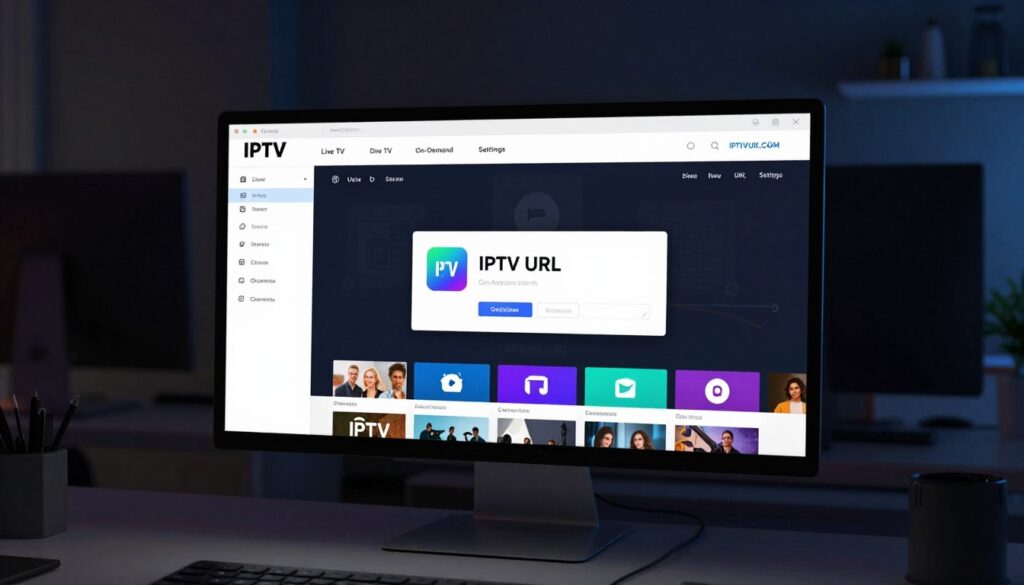
Begin by logging into your provider’s dashboard using the credentials supplied during registration. Look for sections labelled “My Subscriptions,” “IPTV Links,” or “M3U Playlist.” Most provider dashboards feature a copy button or direct download option for your M3U playlist URL, making it simple to transfer to your preferred media player without typing errors.
Retrieving URLs from Confirmation Emails
When retrieving URLs from confirmation emails, use the search function in your email client with terms like “M3U,” “playlist,” or “IPTV URL” to quickly locate the relevant information. Pay attention to any expiration dates associated with your URL, as some providers rotate links periodically for security reasons.
Contacting Customer Support for Assistance
If you’re having trouble finding your IPTV URL, contacting customer support can provide the assistance you need. Be prepared to verify your account with order numbers or the email address used during registration to expedite the process. Some providers offer dedicated setup guides that include screenshots of where to find and how to use your playlist URL with popular applications like IPTV Smarters, TiviMate, or VLC.
Remember to save your URL in a secure but accessible location, as you may need to re-enter it when setting up new devices or after player updates. By following these steps, you can easily access and manage your IPTV URL.
Setting Up Your IPTV URL on Different Devices
Configuring your IPTV URL across various devices is a straightforward process that enhances your streaming experience. With the right setup, you can enjoy your favourite channels on smart TVs, mobile devices, computers, and streaming devices.

Smart TVs and Android Boxes
For Smart TVs and Android boxes, dedicated IPTV applications such as IPTV Smarters Pro, TiviMate, or Perfect Player offer the most comprehensive experience with full EPG integration and channel organisation. When setting up on these devices, you’ll typically need to navigate to “Add Playlist” or “Add New Playlist” within the app, then select the M3U URL option rather than file upload for the most current content.
Mobile Devices (iOS and Android)
Mobile devices offer flexibility through apps like GSE Smart IPTV (for iOS) and IPTV Smarters Pro (for Android), which maintain your playlist across devices through cloud synchronisation features. This allows you to enjoy your sports, news, and entertainment channels on the go.
Computers and Laptops
For computer setup, VLC Media Player provides a straightforward option—simply go to Media > Open Network Stream and paste your IPTV URL to access your channels. Though this method typically lacks EPG and advanced organisation features, it’s a viable solution for those who prefer watching on a larger screen.
Amazon Fire Stick and Other Streaming Devices
Amazon Fire Stick users should consider downloading IPTV players from the Amazon App Store, with the Downloader app providing access to additional players not listed in the official store. For more information on IPTV apps and their features, you can refer to The Ultimate Guide to IPTV Apps.
Most modern IPTV players support multiple devices with a single subscription, allowing you to enjoy your content across various platforms. When configuring players on any device, look for options to adjust buffer size and video quality to optimise streaming performance based on your network capabilities and device specifications.
Troubleshooting Common IPTV URL Issues
IPTV URL issues can arise from various sources, and understanding how to troubleshoot them is essential for uninterrupted service. When problems occur, a systematic approach can help identify and resolve the issue efficiently.
URL Not Working or Expired
If your IPTV URL suddenly stops working, first verify whether it has expired. Many providers implement regular URL rotation for security. Check your provider’s dashboard or recent emails for updated links, as detailed in their support documentation. If the URL is expired, obtain the new URL from your provider’s resources.
- Check the URL’s expiration status.
- Retrieve the latest URL from your provider’s dashboard or emails.
- Update your IPTV player with the new URL.
Buffering and Connectivity Problems
Buffering and connectivity issues often stem from network-related problems. Run a speed test to ensure you have sufficient bandwidth; a minimum of 10Mbps is recommended for HD content, while 25Mbps is suggested for 4K streaming. Using a VPN can also resolve connectivity problems, especially if your ISP is throttling streaming traffic. For more detailed guidance, refer to The IPTV Guide.
| Issue | Potential Solution |
|---|---|
| Buffering | Check your internet speed; ensure it’s sufficient for your stream quality. |
| Connectivity Issues | Use a VPN to bypass ISP throttling. |
| URL Not Working | Verify if the URL is expired and update it. |
Security and Legal Considerations When Using IPTV URLs
As IPTV continues to grow in popularity, understanding its security and legal implications becomes increasingly important. Users must be aware of the potential risks associated with IPTV URLs, including unauthorised access and legal complications.
Protecting Your IPTV URL from Unauthorised Access
Protecting your IPTV URL is crucial as sharing it can lead to unauthorised access, account termination, or service degradation when multiple users exceed your subscription’s connection limits. To safeguard your IPTV URL, consider using a reputable VPN service that enhances your privacy and protects your streaming activities from potential monitoring by your ISP or third parties tracking content consumption.
- Use a VPN to secure your connection
- Avoid sharing your IPTV URL
- Regularly update your IPTV player password
Understanding the Legal Aspects of IPTV Services
The legal landscape surrounding IPTV services varies significantly by country; services that properly license their content are generally legal, while those redistributing premium channels without authorisation may operate in a grey area. When selecting an IPTV service, research their content sources and licensing agreements to ensure you’re supporting legitimate providers. For more information on the legal aspects of IPTV, you can refer to studies such as the one published on Springer Link.
- Research the IPTV service’s licensing agreements
- Be cautious of suspiciously low prices
- Understand the legal framework in your country
Conclusion
As we conclude this guide, you’re now equipped to navigate the world of IPTV URLs and M3U playlists with confidence. Finding and utilising your IPTV URL is the key to accessing thousands of channels across news, sports, and entertainment through various media players and devices.
To maintain a seamless streaming experience, regularly check for updated M3U playlist links from your provider and optimise your network setup. For enhanced security and access to geo-restricted content, consider using a VPN. Whether you’re using IPTV Smarters or other compatible players, the process remains similar across platforms. For more information on IPTV services, you can visit this guide or explore the ultimate IPTV guide.