

Delivering television programming via the internet has become increasingly popular due to its flexibility and two-way interactivity. Internet Protocol TV (IPTV) enables an on-demand viewing experience and customised content delivery.
Setting up your own IPTV system can provide you with complete control over your streaming content and deliver a tailored viewing experience to your audience. This comprehensive guide will walk you through the essential steps and components required to build and configure a robust system from scratch.
Key Takeaways
- Understand the basic concepts of Internet Protocol Television and its benefits.
- Learn how to select the right hardware and software for your IPTV system.
- Configure your network for optimal streaming performance.
- Ensure legal compliance when setting up your IPTV service.
- Create a functional IPTV system that delivers high-quality streaming content.
Understanding IPTV: What It Is and How It Works
IPTV, or Internet Protocol Television, represents a significant shift in how we consume television content, offering a more personalized experience. At its core, IPTV is about delivering television content over the internet, rather than through traditional satellite or cable formats. This method allows for both live and on-demand content to be streamed to users, provided they have an active internet connection.
Definition and Basic Concepts of IPTV
IPTV stands for Internet Protocol Television, a system that delivers television content over Internet Protocol networks. This fundamentally changes how viewers consume media compared to traditional broadcasting methods. Unlike conventional cable or satellite television, which broadcasts all channels simultaneously, IPTV sends only the requested content to the viewer’s device, creating a more efficient and personalized viewing experience. The core components of an IPTV system include content sources, an encoding system, a content delivery network, and user-end devices such as smart TVs, computers, or dedicated set-top boxes that decode the signal.
How IPTV Differs from Traditional TV and OTT Services
IPTV differs significantly from traditional TV and Over-The-Top (OTT) services. While OTT services like Netflix operate over the open internet, IPTV typically operates on a closed, managed network controlled by the service provider. This often results in more consistent quality and reliability. For those looking to set up an IPTV service, understanding these differences is crucial. You can explore various IPTV tools to manage and optimize your IPTV experience.
By understanding IPTV and its underlying technology, you can better appreciate the flexibility and potential it offers for modern television viewing.
Hardware Requirements for Your IPTV Server
To build a reliable IPTV server, it’s crucial to select the right hardware that can handle multiple streams without compromising quality. Your IPTV server’s performance is heavily dependent on the hardware you choose, making it essential to understand the requirements for a smooth streaming experience.
Server Specifications and Recommendations
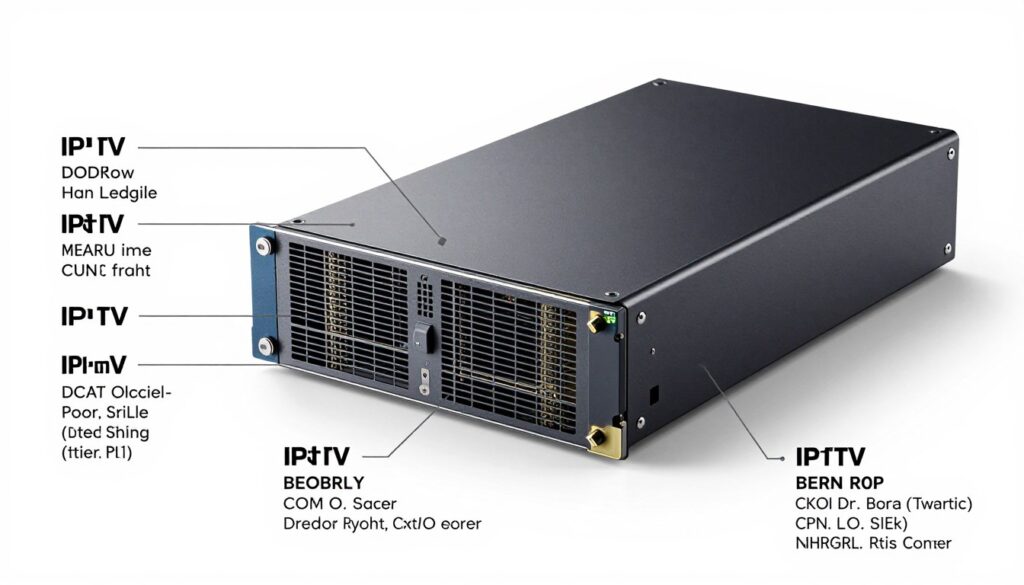
Selecting the appropriate hardware is crucial for building a reliable IPTV server. For a small to medium-sized operation, a modern multi-core processor with a minimum of 8 cores and high clock speeds is recommended to handle real-time video processing. The central processing unit (CPU) requirements will depend on your expected user load and transcoding needs.
RAM is another critical component, with at least 16GB recommended for basic setups and 32GB or more for servers handling multiple simultaneous transcoding tasks and supporting numerous concurrent viewers. A powerful plan like KVM 8 is recommended for optimal performance, especially for multicast streams that support multiple clients simultaneously.
Network Infrastructure Needs
Your network infrastructure must support high-bandwidth operations. A reliable gigabit ethernet connection is the minimum requirement, while larger operations may necessitate 10Gbps connections. Enterprise-grade routers and switches are essential for managing traffic efficiently and ensuring a stable streaming service.
Storage Considerations for Content
Storage considerations should balance speed and capacity. SSD storage with a minimum of 500GB is essential for the operating system and frequently accessed content. Larger HDD arrays can be used for extensive media libraries, potentially configured in RAID for redundancy, ensuring that your content is both accessible and secure.
Essential Software Components for an IPTV Server
To deliver a seamless streaming experience, your IPTV server needs a combination of software components working in harmony. The software stack is as crucial as the hardware, comprising several interconnected elements that work together to provide a high-quality streaming service.
IPTV Middleware Options
IPTV middleware serves as the control centre of your system, managing user authentication, content cataloguing, and the user interface. Popular IPTV middleware options include Stalker Middleware, Xtream Codes, and Flussonic, each offering different features and pricing models. When selecting a middleware solution, consider factors such as scalability, customisation options, and compatibility with your existing infrastructure.
Streaming Protocols and Encoders
Streaming protocols determine how video content is packaged and transmitted over the network. Common choices include HLS (HTTP Live Streaming) for its wide device compatibility, RTMP for low-latency live streaming, and MPEG-DASH for adaptive bitrate streaming. Video encoders and transcoders like FFmpeg are essential for converting source content into formats suitable for streaming.
Content Management Systems
Content management systems provide the tools to organise, categorise, and schedule your media library. Options range from dedicated IPTV CMS solutions to customised implementations of platforms like WordPress with specialised plugins. An effective CMS is crucial for managing your content efficiently and ensuring a smooth user experience.
In conclusion, the software components of your IPTV server play a vital role in delivering a high-quality streaming service. By carefully selecting and configuring your IPTV middleware, streaming protocols, encoders, and content management system, you can ensure a seamless and enjoyable experience for your users.
Planning Your IPTV Server Architecture
Designing an effective IPTV server architecture is crucial for delivering high-quality streaming services. Your IPTV server architecture serves as the foundation for your entire streaming operation, impacting everything from content delivery to user experience.
Centralised vs Distributed Architecture
When planning your IPTV server architecture, you have two primary options to consider: centralised and distributed architectures. A centralised architecture is a relatively simple and easy-to-manage solution where all media content is stored on centralized servers. This approach simplifies management and reduces initial costs but may create a single point of failure and limit geographical reach.
On the other hand, a distributed architecture spreads system components across multiple locations, providing better redundancy, improved local content delivery, and enhanced scalability. Although it increases complexity and initial investment, it’s better suited for larger server networks.
| Architecture Type | Centralised | Distributed |
|---|---|---|
| Management Complexity | Low | High |
| Scalability | Limited | High |
| Initial Cost | Low | High |
| Redundancy | Low | High |
Scalability Considerations
When designing your IPTV server architecture, scalability should be a top priority. Consider implementing a content delivery network (CDN) to cache and deliver content from servers geographically closer to end-users, reducing latency and improving the viewing experience. Your architecture should also account for data management, including content storage, backup, and replication across the system.
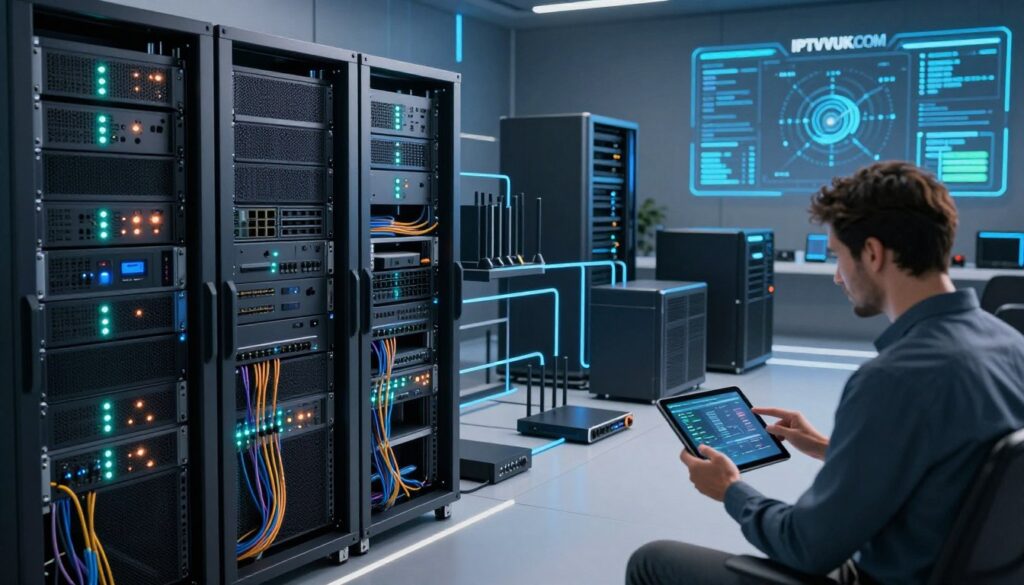
To ensure a robust and scalable system, consider your current needs and future growth. By carefully planning your IPTV server architecture, you can create a reliable and high-quality streaming service that meets the demands of your users.
Setting Up the IPTV Server: Step-by-Step Process
Establishing a reliable IPTV server requires a systematic approach, starting with the selection of the right operating system. This foundational step sets the stage for a successful IPTV service.
Installing the Operating System
The first step in setting up your IPTV server is installing a suitable operating system. Linux distributions such as Ubuntu Server or CentOS are popular choices due to their stability, security, and lower resource requirements compared to Windows-based alternatives. When choosing an operating system, consider factors such as ease of use, community support, and compatibility with your server hardware.
Configuring the Web Server
After installing the OS, you’ll need to configure a web server such as Nginx or Apache. This will handle HTTP requests and serve as the foundation for your streaming infrastructure. Proper configuration is crucial to ensure that your server can handle the expected load and provide a smooth streaming experience.
Setting Up Broadcasting Software
The next critical step involves installing and configuring your chosen broadcasting software. Options include Wowza Streaming Engine, OBS Studio with streaming plugins, or a complete IPTV solution like Flussonic Media Server. The choice of software depends on your specific needs, such as the type of content you will be streaming and the level of customization required.
Implementing Content Delivery Network (CDN)
Implementing a Content Delivery Network (CDN) is essential for distributing your content efficiently across geographical locations. A CDN is a network of caching servers spread across multiple areas, allowing clients to fetch content stored closest to their locations. This reduces latency and improves stream responsiveness. You can either build your own network of edge servers or use third-party services like Cloudflare or Amazon CloudFront.
Throughout the setup process, it’s crucial to implement proper security measures, including firewalls, SSL certificates for encrypted connections, and regular system updates to protect both your server and your users’ data.
Content Acquisition and Management
Content acquisition is a fundamental aspect of running an IPTV server, requiring careful consideration of legal sources and licensing agreements to avoid copyright infringement issues. To ensure a robust content offering, you must navigate the complex landscape of content acquisition and management.
Legal Sources for IPTV Content
Legal content sources include negotiating direct licensing agreements with content owners, partnering with content aggregators who already have distribution rights, or creating and distributing your own original programming. For live TV channels, you may need to establish relationships with broadcasters or purchase redistribution rights through appropriate channels, ensuring all necessary permissions are in place before streaming. You can outsource content from production houses, distributors, creators, or other IPTV stations. For more information on launching an IPTV service, you can refer to resources such as this guide.
Content Organisation and Categorisation
Effective content management involves implementing a robust cataloguing system that organises media by relevant categories such as genre, release date, language, and popularity, making it easier for users to discover content they’ll enjoy. Consider implementing metadata enrichment processes to enhance your content library with detailed information, images, and trailers, significantly improving the user experience and making your service more attractive to potential subscribers. Compressing video files to reduce storage space while maintaining quality is also crucial. Categorising content using different tags simplifies management and helps viewers find specific videos more easily.
By focusing on legal content acquisition and effective content management, you can create a compelling IPTV service that attracts and retains subscribers.
Network Configuration and Optimisation for IPTV Server
To deliver high-quality IPTV content, your network configuration and optimisation play a vital role. A well-configured network ensures that your users have a smooth and uninterrupted viewing experience.
Effective Bandwidth Management
Bandwidth management is critical for IPTV services. Implementing Quality of Service (QoS) policies prioritises streaming traffic over other network activities. For more information on bandwidth requirements, you can visit this resource. This ensures consistent performance even during peak usage periods, providing a better experience for your users.
Reducing Latency and Buffering
Techniques such as adaptive bitrate streaming automatically adjust video quality based on the viewer’s connection speed. Strategic content caching at network edge points also helps reduce latency and buffering, ensuring a smoother viewing experience.
Enhancing Security Measures
Security measures for your IPTV network should include encrypted transmission protocols like HTTPS and RTMPS. IP-based access controls prevent unauthorised usage, and regular security audits help identify and address potential vulnerabilities. For IPTV solutions, consider providers like IPTV UK that prioritise security.
By focusing on these key areas, you can significantly enhance your IPTV service’s quality and reliability, providing a better experience for your users.
Testing and Troubleshooting Your IPTV Server
To guarantee a high-quality IPTV service, thorough testing and troubleshooting are indispensable. When you’re streaming live TV and events, delivering IPTV services to a global audience, there’s no room for downtime. Your IPTV services need to be online and accessible 24 hours a day to remain competitive and keep your users happy.
Performance Testing Methods
Performance testing should evaluate your server’s capacity to handle concurrent users, measuring metrics such as response time, throughput, and resource utilisation under different load conditions using tools like JMeter or LoadRunner. Stream quality testing involves checking video playback across different network conditions and devices, ensuring adaptive bitrate streaming works correctly.
Some key aspects to focus on during performance testing include:
- Evaluating server response times under various loads
- Assessing the quality of video playback across different devices
- Ensuring the system’s scalability to handle increased users
Common Issues and Solutions
Common issues you may encounter include transcoding bottlenecks, network congestion, and content synchronisation problems. For instance, transcoding bottlenecks can be solved by optimising encoder settings or upgrading hardware. You can address network congestion through bandwidth management and CDN implementation. Content synchronisation problems can be fixed by proper timestamp management.
| Issue | Solution |
|---|---|
| Transcoding Bottlenecks | Optimise encoder settings or upgrade hardware |
| Network Congestion | Implement bandwidth management and CDN |
| Content Synchronisation Problems | Proper timestamp management |
Establishing a systematic troubleshooting methodology that includes comprehensive logging, real-time monitoring, and a documented process for identifying and resolving issues is crucial. This enables a quick response to problems and minimises service disruptions, ensuring a high-quality experience for your users.
Legal and Licensing Considerations for IPTV Services
To operate an IPTV service legally, providers must understand and comply with copyright laws, broadcasting regulations, and content distribution rights. This involves navigating a complex landscape of legal requirements to ensure their service is compliant and avoids potential liabilities.
Understanding Copyright and Broadcasting Laws
Copyright laws protect creative works, including TV shows, movies, and live broadcasts, requiring IPTV service providers to obtain proper licences before distributing this content to their users. Broadcasting regulations vary significantly by country and region, with many jurisdictions requiring specific permits or licences to operate an IPTV service. For instance, in the United States, the Federal Communications Commission (FCC) regulates broadcasting services. IPTV providers must research and comply with local requirements wherever their service is available.
Obtaining Proper Licences and Permissions
Content licensing agreements typically specify permitted usage, geographical restrictions, quality requirements, and payment terms. These agreements may include flat fees, per-subscriber charges, or revenue-sharing arrangements depending on the content provider. To ensure compliance, IPTV service providers should consult with legal experts specialising in media and telecommunications law. Proper documentation of all licensing agreements and regular compliance reviews are essential as regulations evolve.
For more information on legal IPTV service providers, you can refer to reviews such as Legal IPTV Service Providers: Top 5 Review.
| Licensing Requirement | Description | Importance |
|---|---|---|
| Copyright Compliance | Obtaining licences for copyrighted content | High |
| Broadcasting Permits | Securing permits to broadcast content in specific regions | High |
| Content Distribution Rights | Ensuring the right to distribute content geographically | Medium |
Conclusion
As demand for online streaming grows, IPTV services are poised for significant growth. Setting up your own IPTV server requires careful planning, considering technical, content, and legal aspects. Throughout this guide, we’ve covered the essential components of an IPTV system, from basic concepts to hardware and software selection, network configuration, and legal compliance. For more information on IPTV, you can visit https://cyfuture.cloud/kb/cloud-computing/what-is-iptv-how-does-it-work-and-what-are-the-pros-and-cons or explore the best IPTV providers. Success in the IPTV space comes from technical excellence, compelling content, and a user-friendly experience.