

The way we consume television programming is changing, with many turning away from traditional cable services in favour of more flexible, internet-based solutions. IPTV Pro has emerged as a popular option, offering an alternative that leverages Internet Protocol Television technology to deliver entertainment directly to your device.
As a media player application, IPTV Pro connects users with various content providers, offering a range of television programming over the internet. Understanding the distinction between the IPTV Pro application and the service providers supplying content is crucial for making an informed decision about whether this streaming service meets your entertainment needs.
With the streaming landscape continually evolving, it’s essential to assess whether IPTV Pro offers the right balance of features, usability, and value. This introduction sets the stage for a comprehensive review of IPTV Pro, examining its capabilities and user experience to help you decide if it’s the best choice for your viewing habits.
Key Takeaways
- IPTV Pro is a media player application that connects users with content providers.
- It uses Internet Protocol Television technology for streaming.
- The service requires understanding the difference between the application and content providers.
- Assessing IPTV Pro’s features, usability, and value is crucial.
- It offers an alternative to traditional cable television services.
What is IPTV Pro and How Does It Work?
The concept of IPTV Pro is centred around delivering television content via internet protocols. This approach allows for a more flexible and personalised viewing experience compared to traditional broadcast methods.
Understanding Internet Protocol Television
Internet Protocol Television (IPTV) represents a modern approach to content delivery, transmitting television programming via internet protocols rather than traditional broadcast methods. This allows for a more flexible and personalised viewing experience.
IPTV Pro as a Media Player Application
IPTV Pro functions primarily as a media player application that organises and displays content from various IPTV service providers. It supports multiple formats and protocols, enabling users to connect to different IPTV services.
The Relationship Between IPTV Pro and Content Providers
Unlike traditional television services, IPTV Pro doesn’t provide content itself but serves as the interface between users and their chosen content providers. This means users can access a wide range of content through a single application, making it a convenient option for managing multiple IPTV services.
Key Features and Benefits of IPTV Pro
The key to IPTV Pro’s popularity lies in its innovative features and benefits, making it a preferred choice for many users. IPTV Pro offers a comprehensive streaming experience with its array of key features that enhance user satisfaction.
User-Friendly Interface and Navigation
IPTV Pro boasts an intuitive interface that makes navigating through thousands of channels and content options straightforward for users of all technical abilities.
Multi-Screen and Multi-User Support
The multi-screen and multi-user support features allow households to enjoy different content simultaneously across multiple devices under a single subscription.
Advanced EPG and Content Organisation
The advanced Electronic Programme Guide (EPG) provides detailed scheduling information, making it easy to find and plan viewing of live content across numerous channels.
VOD and Series Library Access
Users gain access to extensive Video on Demand (VOD) libraries, allowing them to browse and watch movies and series at their convenience, enhancing their entertainment experience.
Parental Controls and Content Filtering
The robust parental control system enables content filtering based on ratings or categories, ensuring family-appropriate viewing options for households with children.
Creating favourites lists and custom playlists helps users organise their preferred channels and content for quick and easy access.
IPTV Pro vs. Competitors: How Does It Compare?
In the crowded IPTV market, understanding the differences between IPTV Pro and its competitors is essential for making an informed decision. Let’s examine how IPTV Pro stacks up against other popular IPTV players.
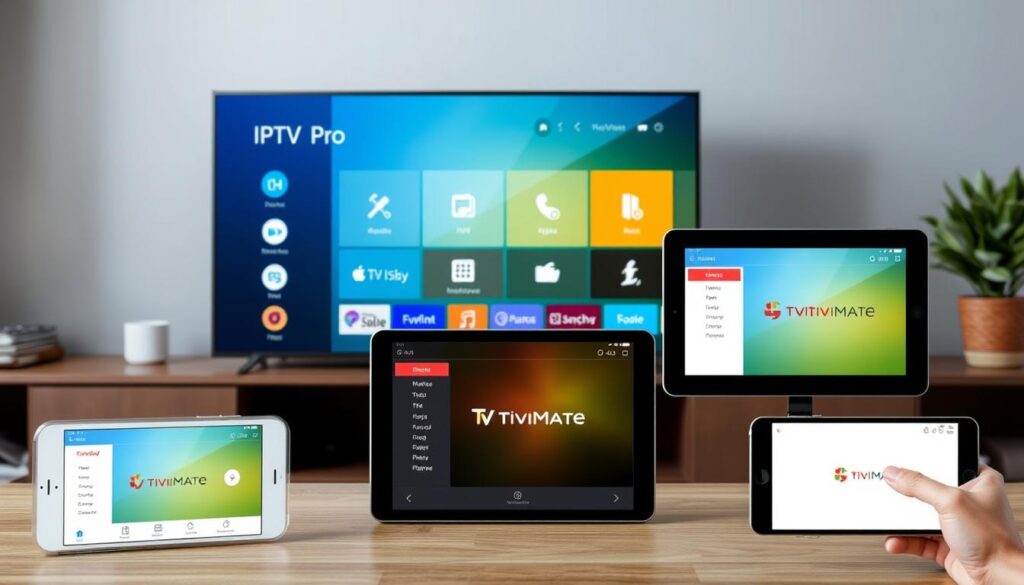
IPTV Pro vs. TiviMate
When comparing IPTV Pro with TiviMate, the former offers superior out-of-the-box functionality and user-friendliness, while TiviMate provides more extensive customisation options for technically inclined users. IPTV Pro’s multi-user support gives it an edge for family settings.
IPTV Pro vs. XC IPTV Players
IPTV Pro generally outperforms basic XC IPTV players in terms of stability, feature set, and regular updates, making it a more robust long-term solution. Its balance between ease of use and functionality makes it accessible to beginners while still offering enough features to satisfy most experienced users.
Which Player Offers the Best Value in 2025?
When considering value for money in 2025, IPTV Pro offers a compelling package with its combination of reliability, feature set, and reasonable pricing compared to competitors. The verdict for 2025 suggests that Smarters Pro wins on out-of-the-box polish and multi-user functionality, while TiviMate excels in deep customisation.
Setting Up and Using IPTV Pro: A Step-by-Step Guide
Configuring IPTV Pro involves several key steps that ensure optimal performance. To get started, you’ll need to download and install the IPTV Smarters Pro application on your device.
Downloading and Installing the Application
Downloading and installing IPTV Pro is straightforward across multiple devices, with the application available on official app stores for Android and iOS, as well as through dedicated installers for Windows and Mac. You can get the official “IPTV Smarters Pro” app from the Google Play Store or Apple App Store.
Connecting to Your IPTV Service Provider
The initial setup process involves connecting to your chosen IPTV service provider using either Xtream Codes API (recommended for best integration) or M3U playlist URLs. Ensure you have the correct credentials from your provider to complete this step successfully.
Configuring Settings for Optimal Performance
Configuring the application for optimal performance includes adjusting video player settings, buffer size, and stream quality based on your internet connection speed and device capabilities. For more detailed instructions, you can refer to our tutorial on setting up IPTV Pro.
Advanced Tips for Power Users
Advanced users can take advantage of features like external player support, custom EPG sources, and playlist management to enhance their viewing experience. For additional guidance on using IPTV Smarters Pro, visit Firestick Tricks for comprehensive tutorials and tips.
The Legal Landscape of IPTV Services
The legality of IPTV services, including IPTV Pro, is a complex issue that depends on several factors. While the IPTV Pro application itself is legal software, functioning as a neutral platform for content delivery, the legality of its use hinges on the content sources you connect to.
Is IPTV Pro Legal to Use?
IPTV Pro is legal to use when connected to properly licensed content providers. The application is akin to other media players like VLC, serving as a conduit for content. However, users must be cautious of services offering premium channels and content at suspiciously low prices, as these often redistribute content without proper licensing agreements. For more information on the legality of IPTV services, you can refer to research papers on the subject.
Choosing Legitimate Content Sources
Many legitimate IPTV services exist, including those from established broadcasters and telecommunications companies that offer their content through IPTV protocols. When selecting an IPTV service, it’s crucial to choose providers that have the necessary licensing agreements in place. You can find more information on legitimate IPTV services by visiting sites like Firestick Tricks, which offer insights into legal IPTV options.
Privacy and Security Considerations
Privacy considerations are important when using any streaming service. Many users opt to use VPNs for additional security and to prevent potential ISP throttling. Understanding the difference between accessing properly licensed content and pirated streams is crucial for making ethical and legal choices in the IPTV ecosystem. For a deeper dive into the legal aspects of IPTV, this article provides comprehensive information.
Conclusion: Is IPTV Pro the Right Choice for You?
IPTV Pro presents a compelling option for those seeking a flexible and feature-rich streaming experience. With its user-friendly interface and robust features, it caters to a wide range of users. When considering IPTV Pro, factors such as your technical comfort level, specific content needs, and budget constraints come into play. For families and households with multiple viewers, IPTV Pro’s ability to support multiple screens and user profiles is a significant advantage. To enhance your streaming experience, you may also want to explore other resources, such as the ultimate guide to finding the best IPTV or learn about the pros and cons of IPTV. Ultimately, IPTV Pro represents an excellent balance of accessibility and functionality, making it a strong contender for most users looking to enhance their streaming experience with IPTV technology.