

Internet Protocol Television (IPTV) has revolutionised the way we consume television content, offering a flexible alternative to traditional cable and satellite services. IPTV services allow users to stream live TV and on-demand content via the internet, providing an innovative way to access a wide range of channels and programmes.
This comprehensive guide will walk you through everything you need to know about getting started with IPTV services, focusing on legal streaming options available in the market. You’ll discover the various types of IPTV services, including subscription-based platforms and free options, along with step-by-step instructions for setting up your own IPTV system.
Key Takeaways
- Understand what IPTV is and how it differs from conventional television services.
- Explore the various legal IPTV services available, including subscription-based and free options.
- Learn how to set up your own IPTV system with compatible devices.
- Discover how to troubleshoot common issues with IPTV streaming.
- Find out how to optimise your IPTV experience for the best results.
Understanding IPTV: What It Is and How It Works
The world of television is changing with IPTV, a service that streams live TV and on-demand content directly to your device via the internet. IPTV stands for Internet Protocol Television, a method that delivers television content using the same basic technology that powers internet browsing.
Definition and Basic Concept
IPTV is a streaming service that offers a way to watch live TV and on-demand content via the internet without a traditional cable or satellite contract. It utilises Internet Protocol (IP) networks to deliver television content, employing the same basic technology that powers internet browsing but optimised for media streaming.
How IPTV Differs from Traditional TV
Unlike traditional TV, which relies on broadcast signals or cable connections, IPTV delivers content over the internet. This allows for greater flexibility and personalization, as you can watch what you want, when you want, on various devices. For more information on how to utilize IPTV effectively, you can explore the available IPTV tools.
The Technology Behind IPTV
The technology behind IPTV involves a process called packet-switching, where content is broken down into data packets, transmitted over the internet, and then reassembled by the receiving device. Most IPTV systems incorporate three fundamental components: the head-end (where the content is received and formatted), the middleware (which manages user authentication and billing), and the set-top box or application (which decodes the signal for viewing). Modern IPTV services also employ adaptive bitrate streaming technology, ensuring a smooth viewing experience by adjusting video quality based on the viewer’s internet connection speed.
Types of IPTV Services Available
IPTV services are categorised into different types based on content delivery. This categorization helps users choose the service that best fits their viewing preferences.
Live TV Streaming
Live TV streaming is one of the primary IPTV services, offering real-time broadcast of television channels. This service is ideal for viewers who want to watch their favourite TV shows, sports, and news as they happen.
Video on Demand (VOD)
Video on Demand allows users to select and watch content at their convenience. VOD services provide a vast library of movies, TV shows, and documentaries that can be accessed at any time, making it a popular choice for those who prefer flexible viewing schedules.
Time-Shifted Media
Time-shifted media refers to the ability to watch previously aired content at a later time. This service includes catch-up TV, which enables viewers to watch shows they missed during the initial broadcast.
Near Video on Demand (NVOD)
Near Video on Demand is a specialised IPTV service that broadcasts the same content on multiple channels with staggered start times. This service is commonly used for premium content like new film releases or special sporting events.
- NVOD offers viewers more flexibility than scheduled programming by providing multiple start times for the same content.
- It is often used for pay-per-view content, such as movie premieres or sports events.
- NVOD creates the illusion of on-demand viewing while using scheduled broadcasting, making it more bandwidth-efficient.
- This service remains relevant for distributing premium content, especially in markets with bandwidth limitations.
- The staggered scheduling approach typically offers new start times every 15-30 minutes.
Legal IPTV Streaming Options
With the rise of IPTV, consumers now have multiple legal streaming options to choose from. The variety of services available caters to different viewing preferences and budgets, ensuring there’s something for everyone.
Subscription-Based Services
Subscription-based IPTV services offer a comprehensive viewing experience with a wide range of channels and on-demand content. These services typically provide high-quality streams and reliable performance.
Key Features:
- Extensive channel lineups, including sports and entertainment
- High-definition streaming for optimal viewing
- On-demand content libraries with the latest releases
- Multi-device support for flexibility
Free Legal IPTV Options
For those looking for free IPTV options, several platforms offer legal streaming services supported by advertisements. These services provide access to a surprising amount of quality content without any financial commitment.
Popular Free IPTV Services:
- Pluto TV: Offers a variety of on-demand content and live TV channels
- Tubi: Features an extensive library of on-demand content, including TV shows and movies
- The Roku Channel: Provides a mix of free TV shows, movies, and live channels
- BBC iPlayer: Offers a range of British TV shows, radio, and live TV
These free services have significantly improved in terms of technical quality, offering HD streaming and reliable performance. While they may not match the comprehensive offerings of subscription platforms, they provide a legitimate way to access quality content.
How to Get IPTV: Step-by-Step Guide
Embarking on your IPTV journey is easier than you think with our step-by-step guide. To start streaming IPTV, you need to follow a series of straightforward steps.
Choosing the Right IPTV Provider
Selecting the right IPTV provider is crucial for a seamless viewing experience. You should consider factors such as the range of channels offered, streaming quality, and customer support. Research different providers, read reviews, and compare their offerings to find the one that best suits your needs.
Subscription Process
The subscription process typically involves choosing a plan, providing some basic information, and making a payment. Most IPTV services offer various subscription models, including monthly or yearly plans. Ensure you understand the terms and conditions, including any potential additional fees or cancellation policies.
Obtaining M3U Playlists or URLs
To stream IPTV, you first need an M3U playlist or URL. This file lists the TV channels from your IPTV service. After subscribing, your provider will typically send you an M3U playlist or URL via email or through their app. The M3U format is a plain text file containing metadata and stream links for all channels in your package.
- M3U playlists and URLs are the backbone of IPTV services, containing necessary information for your media player to access and display available channels and content.
- Many legitimate providers use tokenised or encrypted URLs that expire after a certain period, requiring regular updates through their official apps.
- Some services provide EPG (Electronic Programme Guide) URLs alongside M3U playlists, enhancing your viewing experience with programme scheduling information.
By following these steps, you can easily set up IPTV and enjoy a wide range of channels and content. Remember to keep your M3U playlist or URL secure to prevent unauthorized access.
Essential Equipment for IPTV Streaming

IPTV streaming requires more than just a subscription; it demands compatible devices and a robust internet connection. To ensure a seamless viewing experience, you’ll need to consider several key factors.
Internet Requirements
A stable and fast internet connection is crucial for IPTV streaming. We recommend a minimum speed of 5 Mbps for standard definition, 10 Mbps for high definition, and 25 Mbps for 4K content. Ensure your internet service provider can meet these requirements to avoid buffering and lag.
Compatible Devices
Various devices support IPTV streaming, including smart TVs, streaming boxes like Amazon Fire TV Stick and Apple TV, and mobile devices running Android or iOS. You can also use your Windows or macOS computer to stream IPTV content. External streaming devices often offer superior performance and more app options compared to built-in smart TV interfaces.
Additional Hardware Considerations
While basic IPTV streaming requires minimal equipment, several additional hardware components can significantly enhance your viewing experience. Consider investing in a quality router with QoS (Quality of Service) features to prioritise streaming traffic. For homes with Wi-Fi coverage issues, mesh network systems or Wi-Fi extenders can eliminate dead zones. External storage devices connected to compatible streaming boxes can expand recording capabilities for services that offer DVR functionality.
Setting Up IPTV on Different Devices
Configuring IPTV across various devices is a straightforward process when you have the right guidance. IPTV services offer flexibility by allowing you to stream content on multiple devices, including smart TVs, streaming devices, mobile devices, and computers.
Smart TVs
Many modern smart TVs come with built-in IPTV apps or support IPTV functionality. To set up IPTV on your smart TV, navigate to the app store, download the IPTV app provided by your service provider, and follow the on-screen instructions to configure it.
Amazon Fire TV Stick
For Amazon Fire TV Stick users, setting up IPTV is simple. Download the IPTV app from the Amazon Appstore, install it, and enter your service provider’s details to start streaming. You can find more information on how to install IPTV on Firestick by following the ultimate guide to IPTV providers.
Android Devices
Android device users can download IPTV apps from the Google Play Store. Simply search for your IPTV service provider’s app, install it, and follow the setup instructions to start enjoying your favourite content on the go.
iOS Devices
iOS users can set up IPTV by downloading the relevant app from the App Store. Search for your IPTV service provider’s app, download and install it, then configure it with your account details.
Windows and Mac Computers
For Windows and Mac computers, you can access IPTV services through dedicated applications or web browsers. Many IPTV services offer native apps for Windows and macOS. For instance, you can download a compatible media player like VLC or use your provider’s dedicated application. If an app isn’t available, you can access IPTV through your browser by visiting your provider’s website.
Computers offer the most flexible platform for IPTV viewing, with options including dedicated applications, web browsers, and versatile media players. For Windows users, you can download either your provider’s dedicated Windows application or a compatible media player. Mac users can access IPTV through provider websites or media players like VLC and IINA that support M3U playlists.
Popular IPTV Players and Applications

When it comes to IPTV, having the right player can make all the difference in your viewing experience. IPTV players act as gateways to various streaming services, allowing you to access multiple channels and content sources from a single application.
VLC Media Player
VLC Media Player is a versatile and widely-used media player that supports IPTV streaming. It’s available on multiple platforms and can handle various file formats. To use VLC with IPTV, you simply need to provide the M3U playlist URL.
IPTV Smarters Pro
IPTV Smarters Pro is a popular IPTV application known for its user-friendly interface and robust features. It allows users to stream live TV, video on demand, and catch-up TV. The app supports M3U playlists and EPG data, making it a comprehensive solution for IPTV enthusiasts.
Kodi
Kodi is an open-source media centre software that can be transformed into a powerful IPTV player with the right add-ons. By installing the PVR IPTV Simple Client add-on, users can configure Kodi to work with their IPTV URL and EPG data. For more information on IPTV players, you can visit this page for a comprehensive guide on the best IPTV players for Firestick.
These IPTV apps offer varying degrees of customisation and functionality, catering to different user preferences. Whether you’re looking for a simple, straightforward IPTV experience or a more complex, customisable solution, there’s an IPTV player or application available to suit your needs.
Troubleshooting Common IPTV Issues
IPTV streaming can be affected by several common issues that users should be aware of. These problems can often be resolved with simple troubleshooting steps.
Buffering Problems
Buffering issues are frequently related to internet connectivity. Ensure your connection is stable and meets the required speed for IPTV streaming. You can check your internet speed and consider upgrading if necessary. For more tips on improving your streaming experience, visit this resource.
Channel Loading Issues
Channel loading problems can stem from server overload or issues with the IPTV service provider. Try restarting your IPTV app or checking for updates to the application. If the problem persists, consider reaching out to your provider’s support team.
App Crashes and Freezes
Application instability can be caused by outdated software or device limitations. To resolve this, clear the app’s cache through your device’s settings menu, restart your device, or uninstall and reinstall the app. Keeping your apps updated is also crucial, as developers release patches for known stability issues. For additional troubleshooting guides, you can refer to resources like this article.
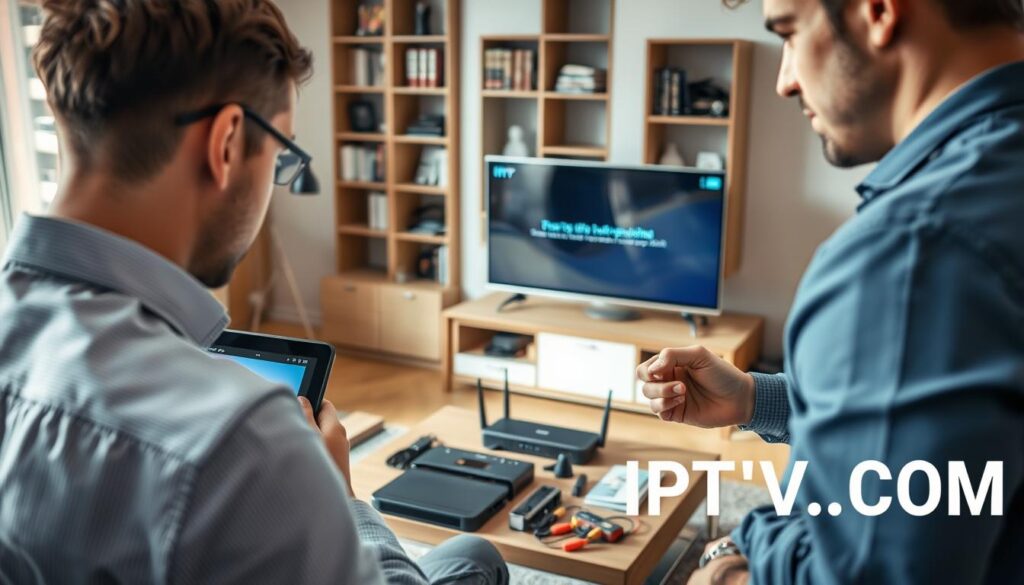
- Clearing the app cache and data can resolve instability issues without affecting your account information.
- Ensure both your IPTV app and device operating system are updated to the latest versions.
- If problems persist, consider checking your device’s resources, as insufficient RAM or processing power can cause issues.
Using VPNs with IPTV: Benefits and Considerations

Using a VPN with IPTV can revolutionise your streaming experience by providing enhanced security and access to geo-restricted content. A VPN offers multiple benefits for IPTV users, including improved privacy and the ability to access content not available in their region.
Privacy and Security Benefits
A VPN encrypts your internet traffic, ensuring that your streaming activities remain private and secure. This is particularly important for IPTV users who may be accessing content through unsecured channels.
Accessing Geo-Restricted Content
By connecting to a VPN server in a different country, you can access IPTV content that is otherwise geo-restricted. This allows for a much broader range of viewing options, enhancing your overall experience.
Choosing the Right VPN for IPTV
When selecting a VPN for IPTV, consider factors such as server network size, connection speed, and ease of use, including intuitive settings. Opt for a VPN that has a proven track record with IPTV services and offers dedicated streaming server optimised for high-bandwidth content. Many VPNs have been successfully used by users for IPTV streaming over the past several years.
Conclusion
As we conclude this guide on how to get IPTV, television viewing is more flexible. We’ve explored IPTV services and legal streaming options. Visit best IPTV services for more information. IPTV has revolutionised viewing over the years.